How to Test Yourself with a Mind Map
 By Kashish Mustafa, Co-founder, Mindmapi· Last reviewed 28 October 2026
Home/Blogs
You’ve made a mind map of the topic. Every branch is there, the colours are right, and it looks like revision. Then you read it through a few times and feel ready. That feeling is the problem: reading a map you already know looks familiar, and familiar isn’t the same as being able to remember it in an exam.
The fix is simple. Once the map is made, use it to test yourself: hide parts of it, try to recall them, then check. This guide explains why that works and gives you five ways to do it, two on paper and three in Mindmapi.
Why testing yourself works better than rereading
Psychologists call it retrieval practice: pulling information out of your memory, rather than putting it in again. Three studies are worth knowing.
Testing beats restudying
Roediger and Karpicke (2006) had students either reread a passage or try to recall it. Five minutes later, rereading looked as good or better. But on the tests days later, the students who had practised recalling remembered substantially more. In their words, testing is “a powerful means of improving learning, not just assessing it.”
Two techniques stand out
Dunlosky and colleagues (2013) reviewed ten popular study techniques. Only two were rated “high utility”: practice testing, and spreading revision out over time. Rereading and highlighting, which many students rely on, were rated low utility.
Making a map isn’t enough on its own
Karpicke and Blunt (2011) compared students who studied by building concept maps with students who practised recalling the material. Retrieval practice produced more learning. For anyone who loves mind maps, that’s the key lesson: the map gives you the structure, and testing yourself on it is what makes it stick.
Five ways to test yourself on a mind map
1. Cover the branches (paper)
Print or draw your map, then cover one branch with a sticky note or a sheet of paper, leaving just the branch’s main topic showing. Say out loud, or write down, everything that belongs under it. Lift the cover and check. Put a tick next to what you got and a dot next to what you missed, then do the next branch.
2. Redraw it from memory (paper)
Put the map away and redraw it on a blank page: the central topic, the main branches, then as much detail as you can. Compare it with the original and add what you missed in a different colour. The coloured parts are your revision list for next time. This takes longer, but it tests how the topic fits together, not just the individual facts.
3. Test me (in Mindmapi)
Test me does the covering for you. Open the menu on any topic and choose Test me on this branch, or Test me on this map from the central topic. The topics underneath turn into ? cards. Say each one to yourself, tap the card to check, and mark it Remembered or Not yet.
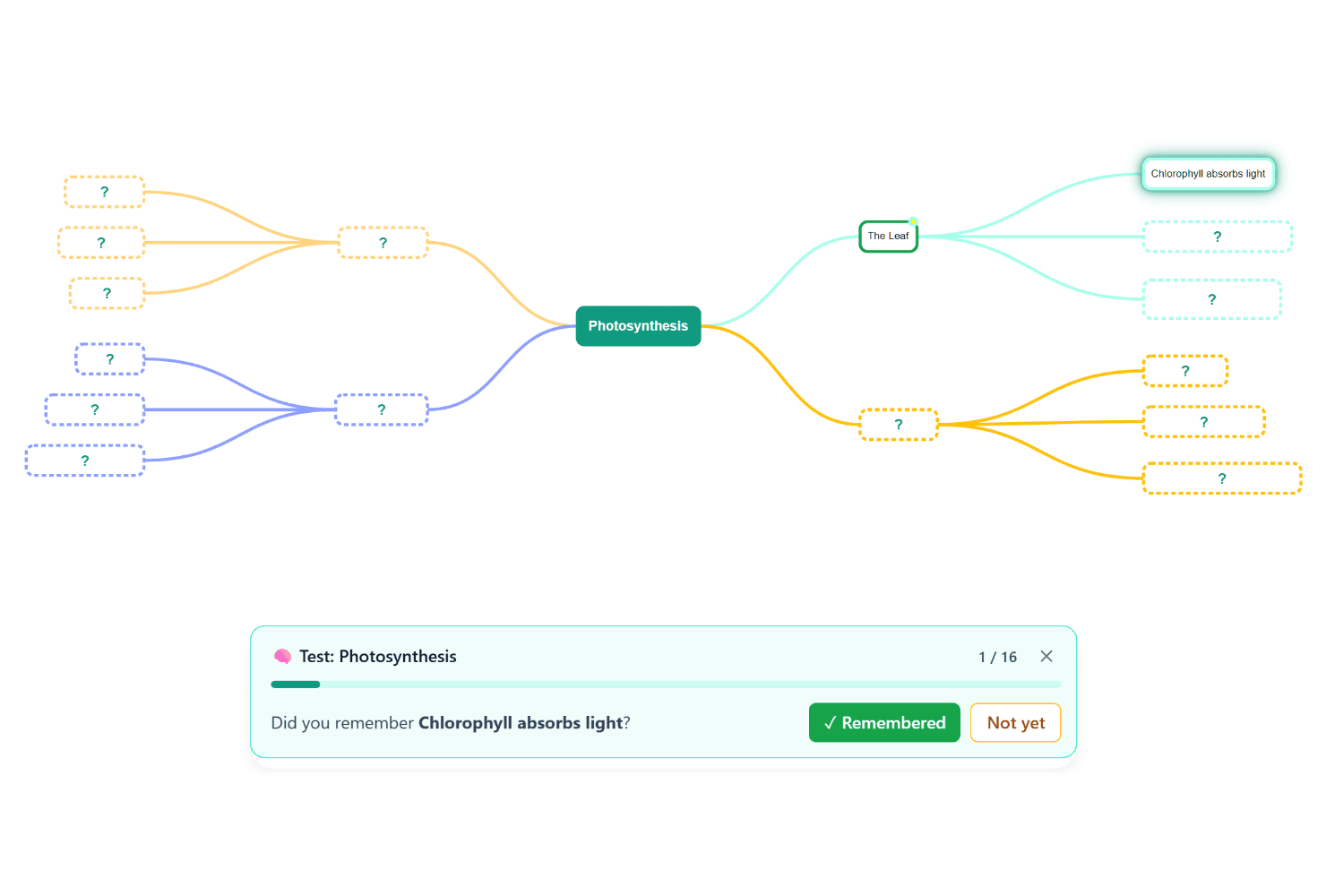
At the end you see your score, and Retest the ones I missed runs the test again on just those topics. Your notes stay hidden while you’re being tested, and nothing on the map changes. Test me is free.
4. Quiz me (in Mindmapi)
Quiz me asks a different kind of question. In the same menu, choose Quiz me on this branch and AI writes multiple-choice questions from the topics and notes in that branch, so the quiz matches what you’re actually studying. Pick an answer and you find out straight away whether it was right, with a one-line explanation.
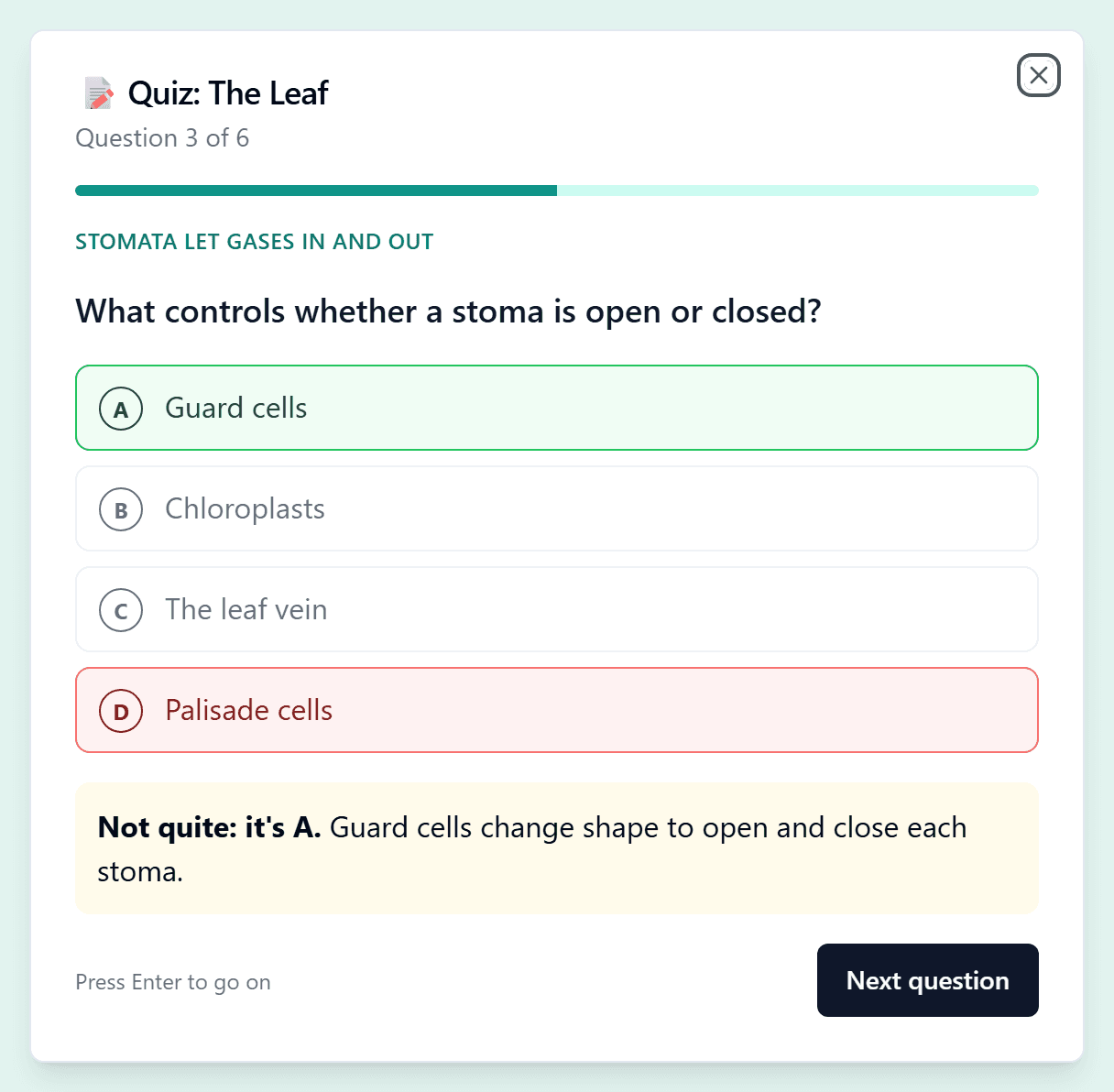
At the end you get your score and a list of the questions to go over. New quiz writes a fresh set. Free accounts get three quizzes; Pro makes them unlimited.
Test me checks whether you can recall a topic; Quiz me checks whether you understand it well enough to pick the right answer from close alternatives. Using both on the same branch is a good combination.
5. Explain it simply: the Feynman Technique (in Mindmapi)
The Feynman Technique, named after the physicist Richard Feynman, is a test of understanding: explain the topic in plain words, as if to someone much younger, and notice where you get stuck or reach for jargon. Those are the gaps to go back to.
In Mindmapi, choose Explain it simply on any topic and write your explanation without looking (on a phone you can say it, using the keyboard’s microphone). AI compares it with that part of your map and shows what you explained well, what you missed, anything that’s not quite right, and simpler words for any jargon. Go over the gaps, then explain it again: each go should be simpler and more complete. You can keep your explanation and the feedback in the topic’s note.
A simple week of testing
Spreading your tests out is the other technique that Dunlosky’s review rated highly, and it fits mind maps well. For one topic:
- Day 1: make the map, then test yourself on it once, straight away.
- Day 2: test the whole map again. Retest only what you missed.
- Day 4: redraw it from memory, or take a quiz on each main branch.
- Day 8: one more full test. Anything still missed gets a note or a sticky note on the map.
The exact days matter less than the gaps getting longer. If a test feels a little hard, that’s a good sign: the effort of remembering is what does the work.
Mistakes to avoid
- Peeking too soon. Give yourself a proper go before you check, even if you think you’ve forgotten. Struggling a little is part of how it works.
- Marking half-right as right. If you only got part of it, mark it Not yet. It will come back in your retest, which is exactly what you want.
- Only testing the branches you like. Start with the branch you feel least sure about.
- Testing once and stopping. One test helps; a few spread over a week help much more.
Try it on a practice map
You can try Test me straight away on the practice map, with no sign-up: the three-minute tour shows you where it is. When you’re ready, Mindmapi can build a revision map from your own notes, PDFs, lectures or a web page, so you can test yourself on exactly what your course covers. For ideas, browse the free example maps for GCSE, A level and university topics.
References
- Dunlosky, J., Rawson, K. A., Marsh, E. J., Nathan, M. J. and Willingham, D. T. (2013). Improving students’ learning with effective learning techniques: Promising directions from cognitive and educational psychology. Psychological Science in the Public Interest, 14(1), 4–58. doi:10.1177/1529100612453266
- Karpicke, J. D. and Blunt, J. R. (2011). Retrieval practice produces more learning than elaborative studying with concept mapping. Science, 331(6018), 772–775. doi:10.1126/science.1199327
- Roediger, H. L. and Karpicke, J. D. (2006). Test-enhanced learning: Taking memory tests improves long-term retention. Psychological Science, 17(3), 249–255. doi:10.1111/j.1467-9280.2006.01693.x

About the author
Kashish Mustafa, Co-founder, Mindmapi
Kashish was predicted 3s and 4s in her GCSEs. Studying on her own, she mind mapped everything, maths included, and came out with 7s and 8s. She went on to graduate with a 2:1 in Business Management and now works in marketing. She co-founded Mindmapi to give every student the study method that worked for her.
Kashish on LinkedInTry it with your own material
Mindmapi.ai can build a mind map like the ones described here from your own notes, PDFs, recordings and more. These guides show you how:



